Javascript Deobfuscation
Introduction
- we often come across obfuscated code that wants to hide certain functionalities, like malware that utilizes obfuscated JavaScript code to retrieve its main payload.
- Without understanding what this code is doing, we may not know what exactly the code is doing, and hence may not be able to complete the red/blue team exercise.
Source Code
- Most websites nowadays utilize JavaScript to perform their functions.
- HTML:
- Looking at the following website:
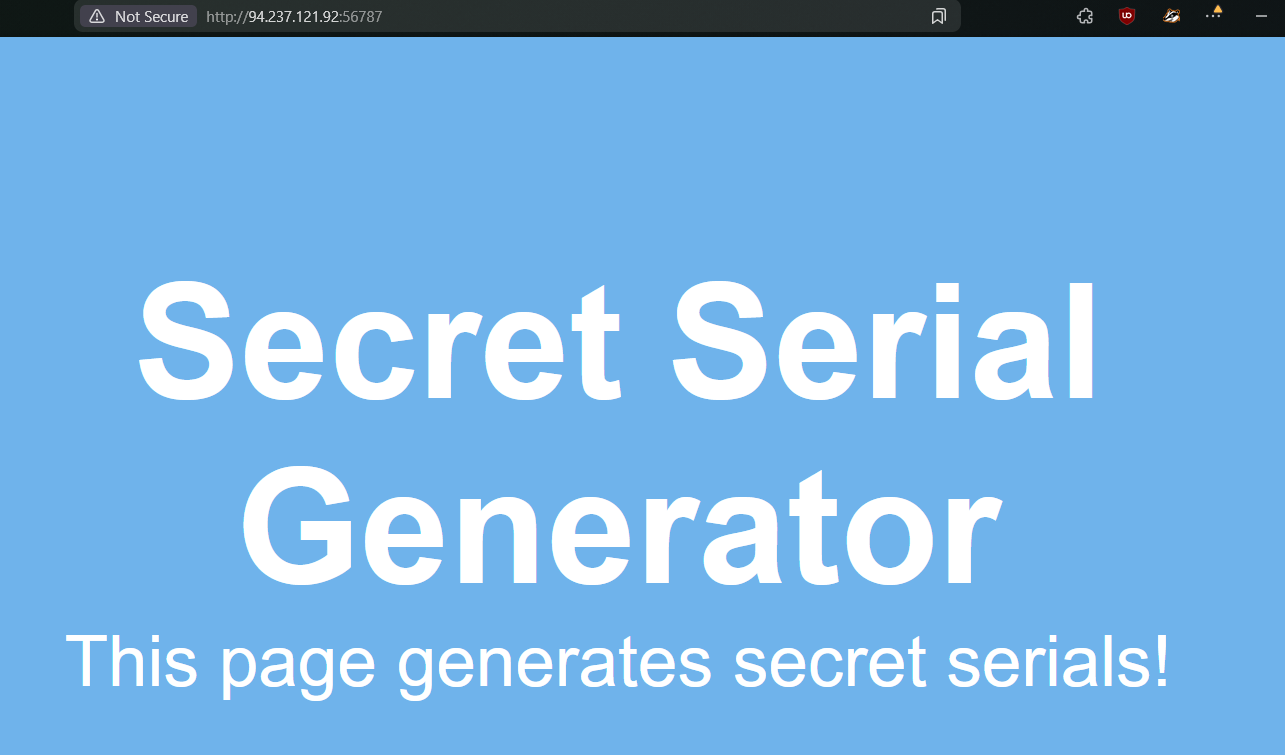
- pressing
[ctr+u]from that website we get the following source code..PNG)
- Already we see a flag! and some
CSS(which is just for style) - But what is important is the
secret.jsembeeded javascript file.
- Looking at the following website:
- Javascript: secret.js
.PNG)
- Hence, using a tool to deobfuscate:
.PNG)
- From hear again, i see a flag!
- But , the reason behind this code obfuscation. What is it? How is it done? Where is it used?
- Hence, using a tool to deobfuscate:
- Code Obfuscation:
- Before we start learning about deobfuscation, we must first learn about code obfuscation.
- Without understanding how code is obfuscated, we may not be able to successfully deobfuscate the code, especially if it was obfuscated using a custom obfuscator.
- What is obfuscation?
-> Obfuscation is a technique used to make a script more difficult to read by humans but allows it to function the same from a technical point of view, though performance may be slower.
-> For example, code obfuscators often turn the code into a dictionary of all of the words and symbols used within the code and then attempt to rebuild the original code during execution by referring to each word and symbol from the dictionary. - The following is an example of a simple JavaScript code being obfuscated(input):
.PNG)
- Output:
.PNG)
- Use Cases
- The most common usage of obfuscation, however, is for malicious actions.
- It is common for attackers and malicious actors to obfuscate their malicious scripts to prevent Intrusion Detection and Prevention systems from detecting their scripts. It must be noted that doing authentication or encryption on the client-side is not recommended, as code is more prone to attacks this way.
Basic Obfuscation
- Code obfuscation is usually not done manually, as there are many tools for various languages that do automated code obfuscation.
- Many online tools can be found to do so, though many malicious actors and professional developers develop their own obfuscation tools to make it more difficult to deobfuscate.
- Running JavaScript code:
- Let us take the following line of code as an example and attempt to obfuscate it:
console.log("Code Obfuscation"); - First, let us test running this code in cleartext, to see it work in action. We can go to JSConsole, paste the code and hit enter, and see its output:
.PNG)
- Let us take the following line of code as an example and attempt to obfuscate it:
- Minifying JavaScript code
- A common way of reducing the readability of a snippet of JavaScript code while keeping it fully functional is JavaScript minification.
- Code minification means having the entire code in a single (often very long) line.
- Code minification is more useful for longer code, as if our code only consisted of a single line, it would not look much different when minified.
- Many tools can help us minify JavaScript code, like javascript-minifier. We simply copy our code, and click Minify, and we get the minified output on the right:
.PNG)
- Once again, we can copy the minified code to JSConsole, and run it, and we see that it runs as expected.
- Usually, minified JavaScript code is saved with the extension
.min.js.
- Packing JavaScript code:
- Now, let us obfuscate our line of code to make it more obscure and difficult to read.
- First, we will try BeautifyTools to obfuscate our code:
.PNG)
- after obfuscation:
.PNG)
- We see that our code became much more obfuscated and difficult to read. We can copy this code into jsconsole, to verify that it still does its main function:
.PNG)
- We see that we get the same output.
- A packer obfuscation tool usually attempts to convert all words and symbols of the code into a list or a dictionary and then refer to them using the (p,a,c,k,e,d) function to re-build the original code during execution. The (p,a,c,k,e,d) can be different from one packer to another.
- However, it usually contains a certain order in which the words and symbols of the original code were packed to know how to order them during execution.
- While a packer does a great job reducing the code’s readability, we can still see its main strings written in cleartext, which may reveal some of its functionality. This is why we may want to look for better ways to obfuscate our code.
Note: The above type of obfuscation is known as “packing”, which is usually recognizable from the six function arguments used in the initial function “function(p,a,c,k,e,d)”.
Advanced Obfuscation
- So far, we have been able to make our code obfuscated and more difficult to read.
- However, the code still contains strings in cleartext, which may reveal its original functionality.
- In this section, we will try a couple of tools that should completely obfuscate the code and hide any remnants of its original functionality.
- Obfuscator:
- Let’s visit obfuscator. Before we click obfuscate, we will change String Array Encoding to Base64, as seen below:
.PNG)
- Now, we can paste our code and click obfuscate:
.PNG)
- We see a huge difference.
.PNG)
- This code is obviously more obfuscated, and we can’t see any remnants of our original code.
- We can now try running it in jsconsole to verify that it still performs its original function.
.PNG)
- We see that, indeed, the code gave us the same output.
Deobfuscation
- Let’s visit obfuscator. Before we click obfuscate, we will change String Array Encoding to Base64, as seen below:
- Now that we understand how code obfuscation works let’s start our learning towards deobfuscation.
- Beautify:
- We see that the current code we have is all written in a single line.
- This is known as Minified JavaScript code.
- In order to properly format the code, we need to Beautify our code.
- The most basic method for doing so is through our Browser
Dev Tools. - Using Firefox, we can open the browser debugger with
[ CTRL+SHIFT+Z ], and then click on our scriptsecret.js. - This will show the script in its original formatting, but we can click on the ‘{ }’ button at the bottom, which will Pretty Print the script into its proper JavaScript formatting:
.PNG)
- But we see that after pressing the
{}button, we get the following:.PNG)
- However, the code is still not very easy to read.
- This is because the code we are dealing with was not only minified but obfuscated as well.
- So, simply formatting or beautifying the code will not be enough. For that, we will require tools to deobfuscate the code.
- Deobfuscate:
- One good tool is UnPacker.
.PNG)
- One good tool is UnPacker.
- Reverse Engineering
- Though these tools are doing a good job so far in clearing up the code into something we can understand, once the code becomes more obfuscated and encoded, it would become much more difficult for automated tools to clean it up.
- This is especially true if the code was obfuscated using a custom obfuscation tool.
- We would need to manually reverse engineer the code to understand how it was obfuscated and its functionality for such cases.
- Code anlysis
- Now that we have deobfuscated the code, we can start going through it:
.PNG)
- We see that the secret.js file contains only one function, generateSerial.
- HTTP Requests:
- Let us look at each line of the generateSerial function.
- Code Variables: The function starts by defining a variable
xhr, which creates an object ofXMLHttpRequest. As we may not know exactly whatXMLHttpRequestdoes in JavaScript, let us GoogleXMLHttpRequestto see what it is used for. - XMLHttpRequest: All modern browsers have a built-in XMLHttpRequest object to request data from a server. The
XMLHttpRequestobject can be used to request data from a web server. The XMLHttpRequest object is a developers dream, because you can:- Update a web page without reloading the page.
- Request data from a server - after the page has loaded.
- Receive data from a server - after the page has loaded.
- Send data to a server - in the background.
- we see that it is a JavaScript function that handles web requests.
- The second variable defined is the
URLvariable, which contains aURLto/serial.php, which should be on the same domain, as no domain was specified. - Code Functions: Next, we see that
xhr.openis used with “POST” andURL. After googling what xhr.open does, we see that it is used to exchange data with a server. - So, all generateSerial is doing is simply sending a POST request to /serial.php, without including any POST data or retrieving anything in return.
- Now that we have deobfuscated the code, we can start going through it:
Bonus Challenge:
.PNG)