PicoCTF Challenge: GDB Test Drive
Challenge Overview:
- The following was the description for the challenge:
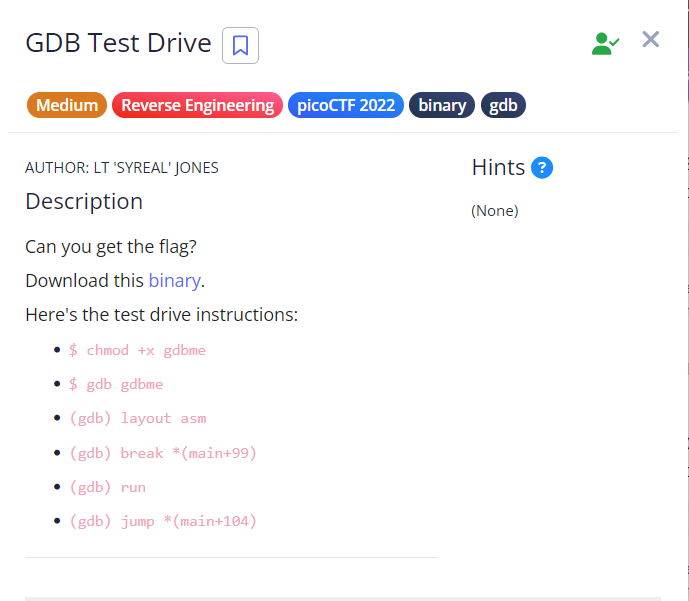
Intro
- GDB(GNU Project Debugger) is a debugging tool. Allows us to walkthrough the binary, step by step, and see what actually happens inside the binary. We can set a breakpoint, to pause the execution of the program at a specific address. We can inspect the variable or a memory. It used again for malware analysis.
- GDB operates on executable files which are binary files produced by the compilation process.
Deep dive
- The instructions are already mentioned from the description. I will explain them in details.
- getting started:
.PNG)
not stripped-> This is important because it makes debugging much easier. meaning we can see the function names otherwise we would seemain()as0x40100.
- exeuting the binary:
.PNG)
./allows us to run the existing file in directory.- But, we get a permission denied, why is that?
- This is where,
chmod(change mode) comes in. it allows us the change the mode given to the binary. - The following command, makes the binary “executable”, in most cases we always have to do this for a binary file.
chmod +x gdbme.PNG)
- See after running the
chmodoperation, the binary has changed the color and anxexist.
- analysis of the binary
.PNG)
- The binary is finally running, but we already encounter a problem.
- It looks like the program is sleeping, hence whatever we input or no matter how many times we hit
enter, nothing happens. - By using
ltracewhich is a complement of GDB, it traces calls to shared library functions likesleepin this case, but other examples areprintf, strcmp. Allowed us to quickly see that the first function being called issleep(), so using GDB we have to jump this address to where the flag is. - starting our gdb:
gdb ./gdbme - And this is what you have to see:
.PNG)
- right after that, i used the following command:
(gdb) disas main - Note that, it is not the same as from description, this is because i could not copy the flag, hence i went for this approach:
.PNG)
- final steps
.PNG)
- so in this case, we see that even when i used
step, we still got the information about thesleepfunction.
- so in this case, we see that even when i used
More details regarding the use of GDB are found in my /notes