CTF Challenge: Operation Oni
Notes
- A disk image typically has the following extensions (.img, .dd, .vmdk)
- They normally include hidden data and the common scenarios are:
- Recover deleted files.
- find hidden data in slack space.
Challenge Overview:
- This was the following description for the challenge.
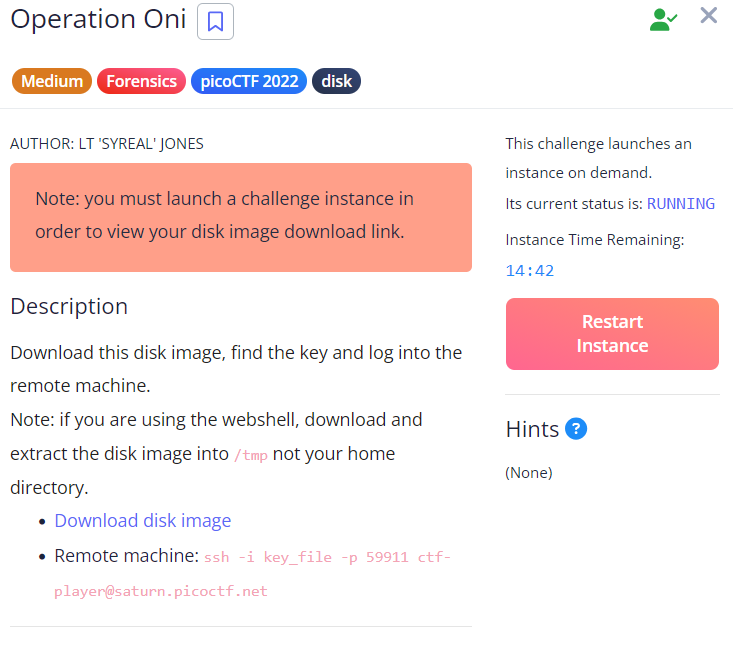
Disk file:
.PNG)
- We see that, there are two partitions:
- The first partition start from 2048
- The second one, right after the first one “206848”
- from the below picture, the only useful partition is the second one and this is because we see that it contains the /home and the /root directory.
.PNG)
mmls disk.img # Display the partition table stored in an image file. fls -o <startsector> disk.img <inode> # List files and directories in an image file or device. - For this challenge we see that the startsector is 2048 and 206848 then inodes are the numbers next to the files listed on the lefthand side.
- In this case, when we list files in the /root which has an inode number of 470 we find the ./ssh folder which has both a private and public key.
.PNG)
- Now we have to extract the private key (id_ed25519).
.PNG)
- Now we have to use the key to ssh to the remote server:
.PNG)
- The error we getting it is regarding permission, currently the file can be read(r) by everyone.
- So in general the permission are divided into three groups being; Owner(rwx):Workgroup(rwx):Everyone(rwx)
- r-read.w-write.x-execute
- In this case we have to give the private key access to only the Owner.
.PNG)
- Hence, we get aunthenticated:
.PNG)